
Arrow and circle callout maker
Pick a mark, point it at the thing, set the colour. Download an animated callout your editor can place over the shot.
Runs in your browser. Nothing is uploaded.
The preview background is only for judging the graphic. Your download has no background unless you pick a green screen or black file.
H.264 on flat green, chosen so it does not clash with your colours.
Place the clip on a track above your video in CapCut. Select it, open Remove BG, then Chroma key. Pick the background colour and raise the strength until it is gone.
How to make an arrow and circle callouts
- 1Choose the mark: a straight arrow, a curved arrow, a circle, an underline or a cross-out line.
- 2Slide it into place. For an arrow, set the spot the tip points at, then the direction and length. Pick the size that matches your video (16:9, 9:16, 1:1 or 4:5) so the position carries over exactly.
- 3Set the colour, the thickness and how long the pen takes to draw.
- 4Choose your editor and download. Phone editors get a green screen MP4, desktop editors a transparent MOV. Put it on the track above your video.
What editors use it for
Tutorials and screen recordings
Point at the button to press or circle the setting to change, without keyframing a shape in your editor.
Product and review videos
Draw an arrow to the detail you are talking about at the moment you say it.
Reaction and commentary edits
Circle the thing in the frame people should look at. Red and yellow read on most footage.
Titles and prices on screen
Underline a word in a title, or cross out an old price that is already in the shot.
Which file for which editor
- CapCutGreen screen MP4
- VNGreen screen MP4
- InShotGreen screen MP4
- Premiere ProTransparent MOV
- After EffectsTransparent MOV
- DaVinci ResolveTransparent MOV
- Final Cut ProTransparent MOV
- CanvaMP4 video
- OBSTransparent WebM
Pick your editor in the tool and it shows the exact steps to place the file. Have a green screen clip already? Turn it into a transparent video.
Video me arrow ya circle kaise lagaye (CapCut, VN, InShot)
Mark chuniye (arrow, circle, underline ya cross-out), sliders se jagah aur size set kijiye, colour chuniye, aur "Green screen MP4" download kijiye.
CapCut, VN ya InShot mein is clip ko apni video ke upar overlay ya PIP layer ki tarah add kijiye, phir Chroma key se green hata dijiye. Arrow aapki video ke upar draw hota dikhega.
Premiere Pro ya DaVinci Resolve mein "Transparent MOV" lijiye. Uska background pehle se transparent hota hai, chroma ki zaroorat nahi padti.
Questions
How do I add an arrow in Premiere Pro or CapCut?
Neither editor has a one-click animated arrow. Make it here, then place the file above your clip. In Premiere Pro, DaVinci Resolve, Final Cut and After Effects use the transparent MOV: it needs no keying. In CapCut, VN and InShot use the green screen MP4 and remove the green with Chroma key.
How do I get the arrow to point at the right spot?
Choose the same size as your video first. The two position sliders set where the tip lands, as a share of the frame, so a tip at 40% across and 62% down lands on the same spot when the clip fills your frame. You can also move and scale the clip in your editor afterwards.
How is the arrow drawn?
Both arrows are one ink stroke that starts thin and ends thick, then the two sides of the head are added one after the other. The pen moves on a stepped, hand-animated cadence rather than a smooth slide. The straight arrow keeps a slight hand wobble; the curved one has a bend you can set in either direction.
Can I change the colour and make the line thicker?
Yes. Any colour works, and the thickness slider goes from half to three times the standard weight. For the green screen file the background colour is picked automatically away from your ink, so a green arrow gets a different key colour.
Is there a watermark or a download limit?
No. The mark is drawn and encoded in your browser. There is no watermark, no account and no limit, and nothing is uploaded.
Tools that go with this

A line of text with your chosen words underlined or circled by hand.

Old text struck through by a line, then swapped for the new text in the same spot.
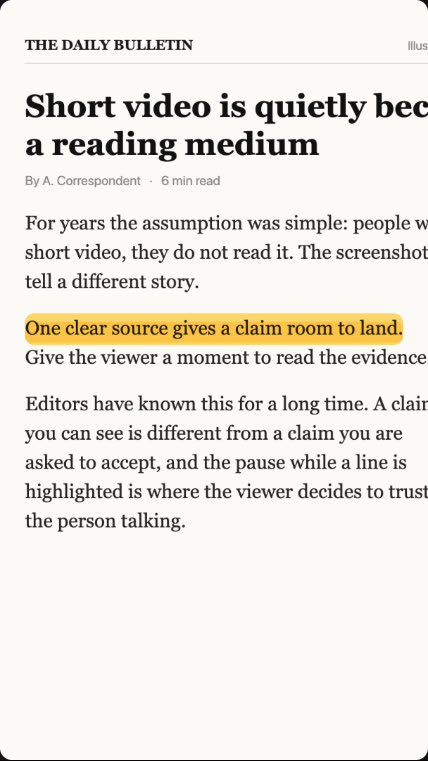
Turn a screenshot of your source into a documentary push-in clip.

A name and title card that wipes in over your footage.
More explainer and documentary tools: Timeline animation maker · Checklist animation maker · Definition card animation maker · Text match cut generator · Screenshot zoom video maker · Animated quote card maker