An AI video editor that edits talking videos for you
Upload a video of someone talking. Headroom reads what was said, decides where the editing moments belong, and applies them: emphasis on the words that carry a line, motion, and visual treatments on the hooks and turns. You get an edited reel back, and every decision is yours to change.
Most AI video editors do a different job: clipping long videos, generating B-roll, or removing silences. Headroom edits the delivery itself. That is the whole product.
You choose how much it edits
The same three lines of a real script, edited at each of the three amounts. These are the actual picks the shipped editor makes on this script, not an illustration. The counts are for the full 31 second reel.
Most people quit a new skill in the first 30 days
Not because it is hard
In month one you improve every single day
A few strong moments, nothing else touched
Most people quit a new skill in the first 30 days
Not because it is hard
In month one you improve every single day
Emphasis spread across the reel
Most people quit a new skill in the first 30 days
Not because it is hard
In month one you improve every single day
Motion on most of what you say
Colour shows the kind of treatment: blue for motion, magenta for effects.
Automatic, not final
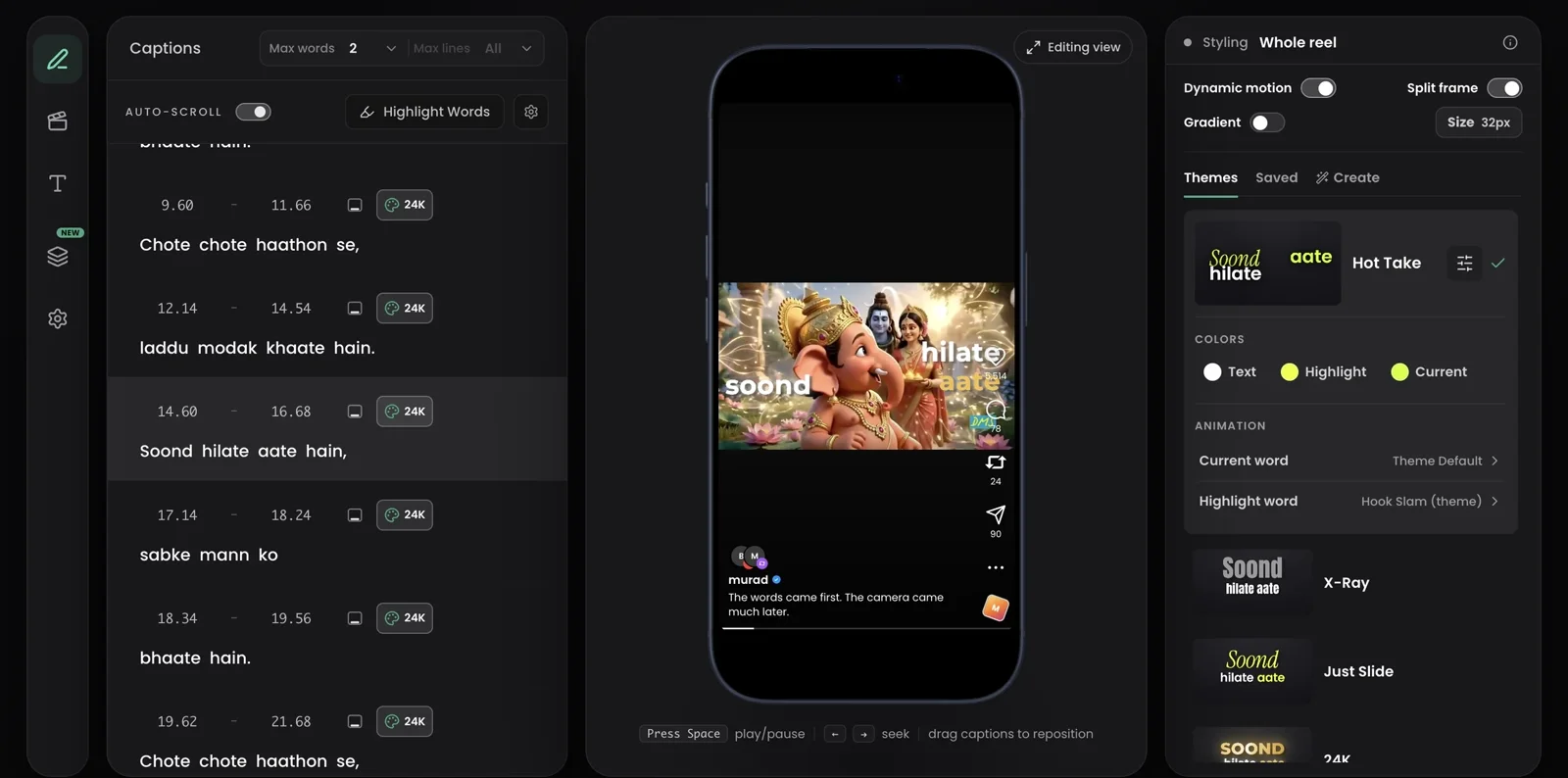
An AI edit you cannot argue with is a template. Headroom shows its work: the words it treated are marked in the transcript, and anything you change by hand wins over the automatic pass permanently.
Change a word, move a caption off your face, switch the style on one line, or export the SRT and finish in Premiere, CapCut, or DaVinci.
What it does not do
It is not a timeline editor: no multi-track compositing, no colour grading. It does not cut your footage, find clips inside a long recording, or generate B-roll. If you need those, use Headroom for the talking layer and take the SRT into your usual editor.
Start where your problem is
Working in Hindi or Hinglish? Code-mixed speech is a specialism here, not an afterthought: see the Hinglish workflow.
See it edit your video
Upload one talking clip. The first edit is done before you touch anything.