Product demo captions that do not cover the product
A demo video has a harder captioning problem than a talking head, because the screen is already doing work. Two things go wrong almost every time: the transcriber mishears your feature names, and the caption sits exactly on top of the button you are pointing at.
Problem one: the caption lands on the thing you are demonstrating
The same caption, rendered by the engine at two anchor positions. In a demo the difference is not aesthetic — it decides whether the viewer can see what you just said to look at.
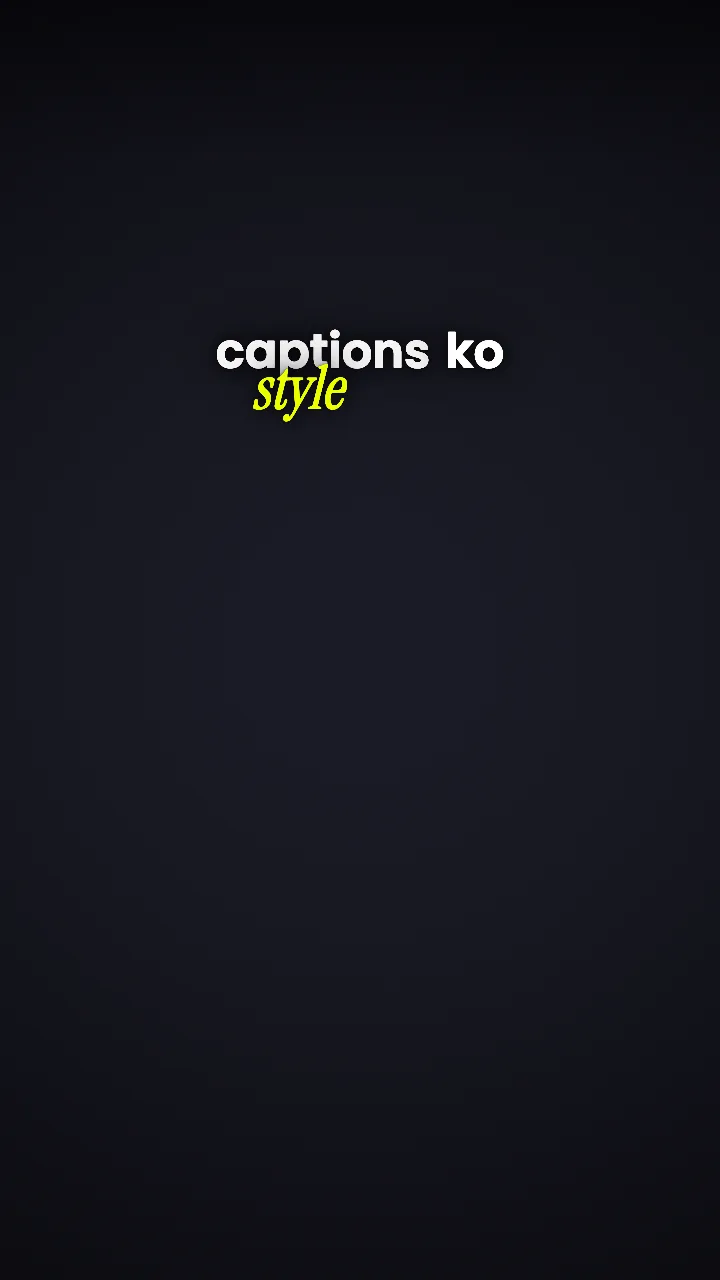
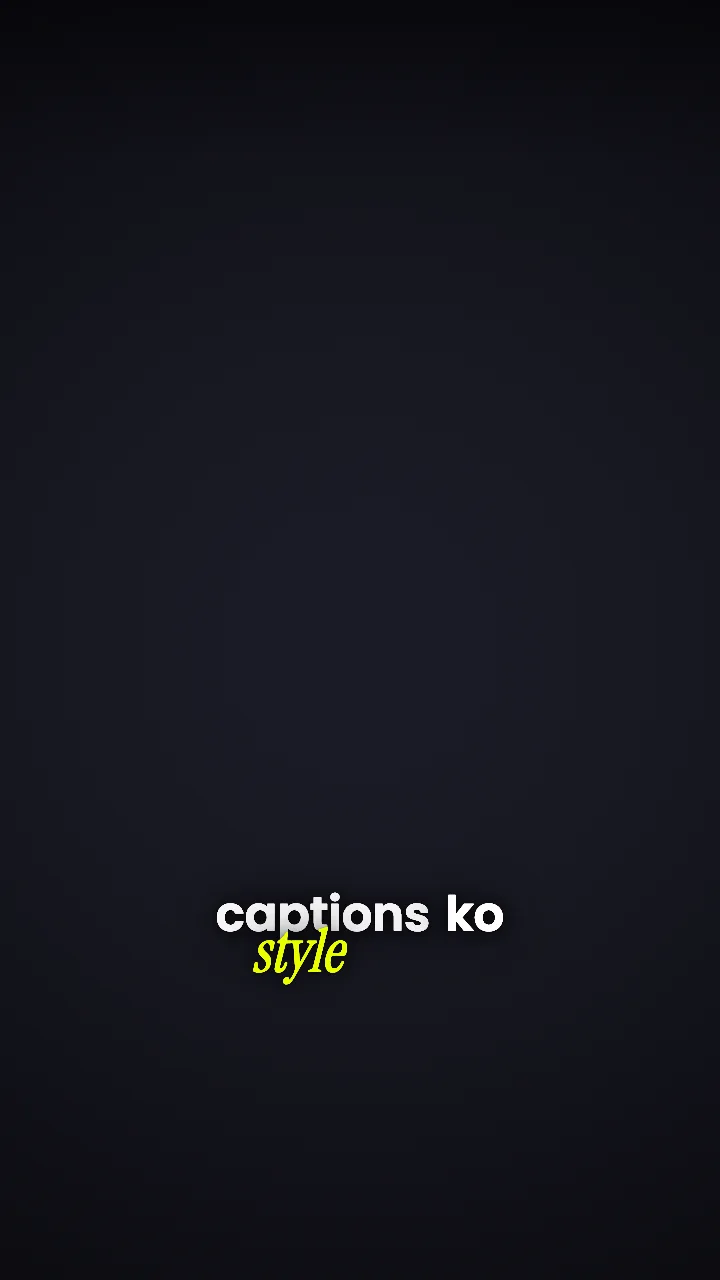
Position is stored per caption, not per video, so you can move the three captions that sit over the sidebar and leave the other forty alone. The safe-zone reasoning is on caption placement.
Problem two: your feature names are not English words
Every speech model is confident and wrong about product vocabulary. “Routing rules” becomes “rooting rules”, your product name becomes something adjacent, and it ships because nobody proofreads forty captions.
Fixing a word in Headroom is a text edit, not a re-transcription. Each word keeps its own start and end time, so correcting one leaves the timing of everything around it exactly as it was — no re-sync pass, no drift building up across the video.
How word-level timing survives an edit →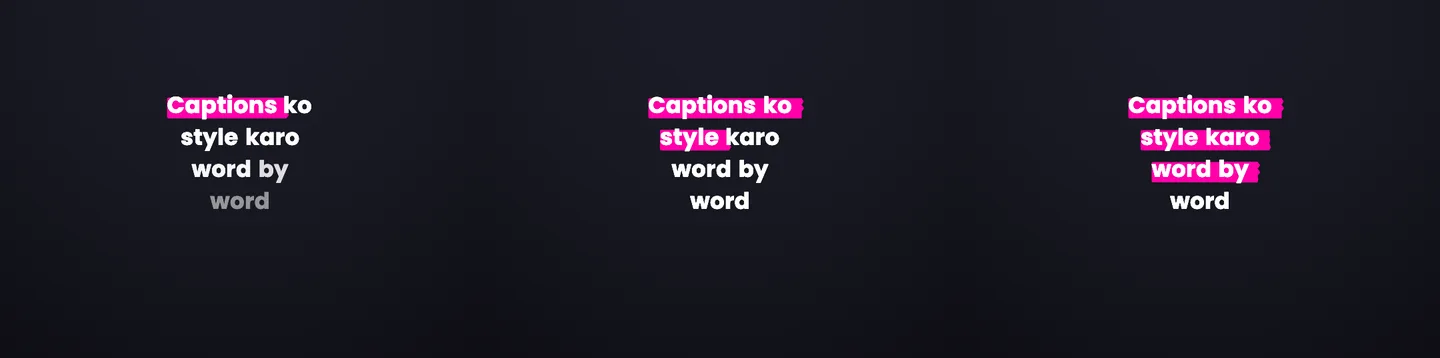
A walkthrough, captioned the way it is structured
Orientation stays quiet, the feature name gets emphasis, the benefit builds under the pointer, and the number gets its own beat.
A SaaS demo walkthrough, narrated
The screen is already busy. These captions have one job: make the feature name and the number unmissable without covering the thing being pointed at.
- OrientationStandard formatWhole line
This is the part most teams set up wrong
Standard keeps the whole line on screen at a readable pace while the viewer is still finding the cursor.
No word treatments, so the beat rides the reel style - Feature nameFocus formatWord pop
Open the Routing rules tab
A feature name is the word buyers will search for later. Marker draws across it so it survives a muted, half-watched demo.
Marker: a highlighter stroke draws across the word - BenefitRolling formatBuilds up
Every ticket that matches goes straight to the right queue
Rolling builds the sentence under the pointer instead of dropping a block of text over the UI.
No word treatments, so the beat rides the reel style - NumberFocus formatWord pop
Teams usually clear 300 of these a week
Numbers are the part a buyer repeats to their manager. Count up gives the figure its own beat.
Count up: number counts up while it is on screen
The words above are a script, marked with the controls a Headroom editor would apply to them. Every control named here is in the studio today; the rendered look of each one is shown on the style gallery.
Where demo captions actually get watched
On a website, muted, autoplaying
A demo embedded above the fold plays without sound by default. If the feature names are not legible on screen, the video is decoration.
Pasted into a sales thread
A 40-second cut sent to a prospect gets watched in a scroll, often on a phone. It has one shot to make the benefit and the number readable.
Cut down for social
The same recording becomes a LinkedIn post. Captions built for a horizontal embed usually need a different treatment there — that is a change, not a re-edit.
What this does not do
Headroom does not record your screen, add zooms or cursor highlights, generate callout arrows, or build a click-through interactive demo. It is not a Loom or an Arcade replacement.
It takes a demo recording that already exists and does the caption and typography pass on it — including the parts a preset cannot do, like knowing that “Routing rules” is a proper noun and that caption three needs to move ninety pixels down.
Questions
Can I upload a screen recording rather than a talking head?
Yes, as long as there is narration to transcribe. Headroom is built around what was said, so a silent screen recording has nothing to caption.
Does a horizontal demo stay horizontal?
Yes. The export takes the shape of the file you uploaded, so a 16:9 recording is edited and exported at 16:9 rather than being letterboxed into a vertical frame.
Can I get a transcript or subtitle file for the page the demo sits on?
Yes — SRT export gives you the text and timing to publish alongside the embed. Word-level SRT covers the format.
How much emphasis is right for a B2B demo?
Less than a Reel. Feature names and numbers, nothing else. Emphasising the whole script in a demo reads as a consumer ad and undercuts the video’s credibility — see highlighting words in captions.
Keep going
Start with the demo already on your site
Upload it, correct the feature names once, and move the captions off the interface.