Animated captions for YouTube intros
The strongest YouTube intros do one thing: they put the promise of the video on screen while the presenter says it. That is normally a title sequence — a text layer, a keyframe, a render. It does not have to be. The hook is already in your audio, with a timestamp on every word.
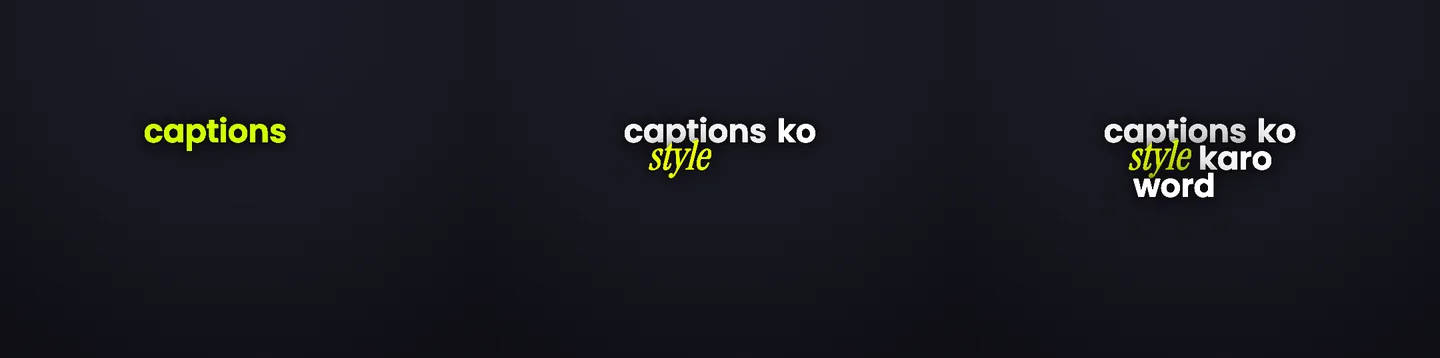
Your intro is horizontal, and it stays horizontal
Most caption tools assume a 9:16 frame and letterbox anything else into a phone shape. Headroom takes the shape of the video you uploaded: a 16:9 source is edited in a 16:9 preview and exports as a 16:9 file. Nothing is cropped to vertical unless you ask for a vertical cut.
That matters more than it sounds. In a wide frame the caption has room beside the speaker rather than on top of them, and a hook line can be genuinely large without covering a face.
The first eight seconds, beat by beat
An intro is not captioned the way the rest of the video is. It escalates, then it stops.
The first eight seconds of a YouTube video
A horizontal talking-head intro. The spoken hook becomes the title treatment, then the captions get out of the way for the rest of the video.
- Cold openFocus formatWord pop
Everything you know about compound interest is backwards
The promise of the video, said out loud, becomes the biggest thing on screen. This is the beat people build in After Effects.
Rise: lands hard with a lift - The stakeFocus formatWord pop
And it costs the average saver 9 years
One number, one treatment. It is the reason to keep watching, so it gets the only effect in the line.
Glow: halo around the word - The turnRolling formatBuilds up
So let us start with the part nobody explains
The intro is over. Rolling reads calmly at the bottom of a 16:9 frame and stops competing with the speaker.
No word treatments, so the beat rides the reel style
The words above are a script, marked with the controls a Headroom editor would apply to them. Every control named here is in the studio today; the rendered look of each one is shown on the style gallery.
Then the captions get out of the way
The mistake that makes a YouTube video feel like a stretched Short is running hook-intensity captions for twelve minutes. Long-form viewers chose to be there; they do not need a word popping every half second to stay.
Change the treatment from the caption where the intro ends onward, and the rest of the video carries quiet captions while the intro keeps its own. The mechanism is on changing caption style mid video.
What Headroom does not do for your intro
It does not cut the intro for you, add b-roll, build an animated logo sting, or write the hook. Those are real parts of a good intro and they stay your job.
What it removes is the typography pass: transcribing the hook, timing each word, choosing an entrance, and re-rendering every time you change a word.
Questions
Can I caption just the intro and leave the rest of the video alone?
You can style the intro differently from the rest, and you can remove captions from the captions you do not want on screen. The simplest version is to upload the intro as its own clip and cut it back into your timeline.
Is this different from captions for YouTube Shorts?
Yes. Shorts are vertical and captioned end to end — that job is covered on YouTube Shorts captions. This page is about a horizontal long-form video where only the opening is treated.
Do I get a file back or a subtitle track?
Both are available: an MP4 with the typography rendered in, or an SRT if you would rather bring the timing into your editor. The trade-off is explained on burned-in captions vs SRT. Animated typography only exists in the MP4 — an SRT file carries text and timing, not motion.
Will YouTube’s own captions conflict with this?
No. Typography rendered into the video is part of the picture. YouTube’s caption track is separate and viewers can still turn it on, which is worth keeping for accessibility.
Keep going
Try it on your last intro
Upload the opening of a video you already published and see the hook you spoke become the title.