Edit auto captions without breaking the timing
The fix is structural, not a trick: captions must store one timestamp per word, not one per block. Then editing a word changes letters — never time.
If your tool re-flows every caption after one edit, this page explains why, and what the workflow looks like when timing is per-word.
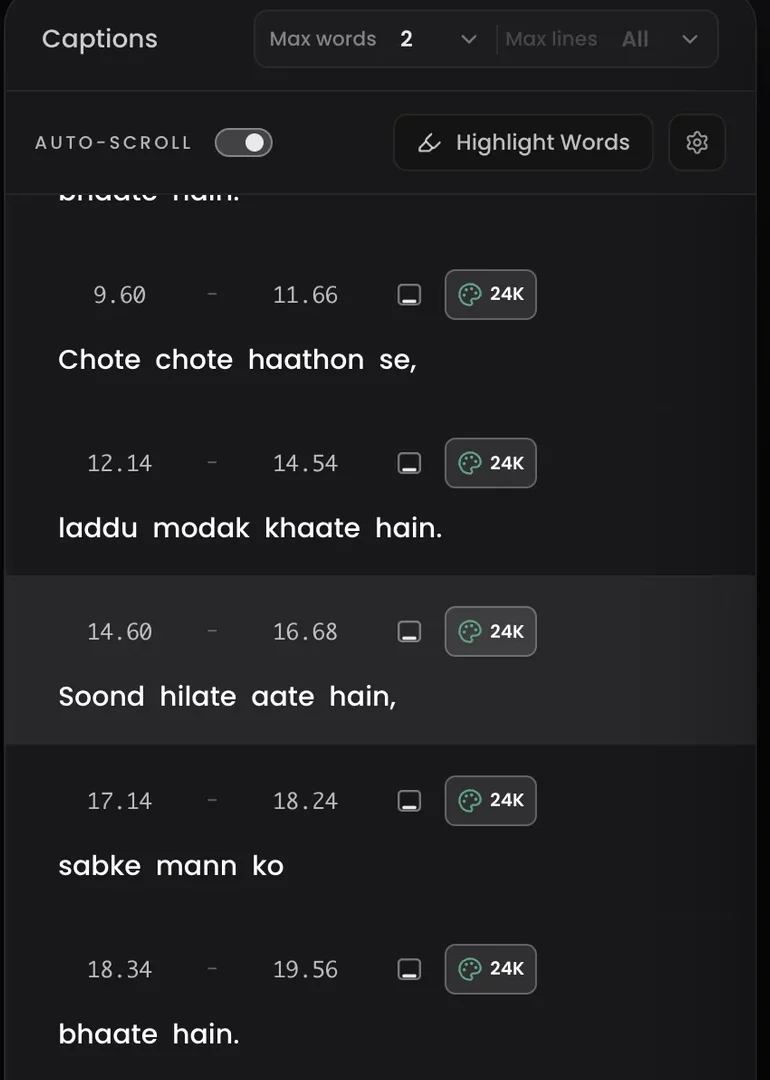
Why edits break timing in block-based tools
Block-based captioning stores something like 00:04.2 → 00:06.8: “captions ko style karo”. The words inside that window have no timestamps of their own — the tool guesses their spacing at render time. So when you fix a word, the tool re-measures the block, re-wraps the words, and often re-flows text across neighbouring blocks. One spelling fix, and everything after it drifts.
That is why the usual advice in support forums is “split the caption, retype it, nudge the timing back by hand” — you are doing the timekeeping the tool threw away.
The word-level model
Headroom transcribes with a timestamp on every word. The highlight below moves word by word because each word owns its slice of time — and that ownership is exactly what survives an edit. Retype “style” and it still starts at 2.52s and ends at 2.95s.
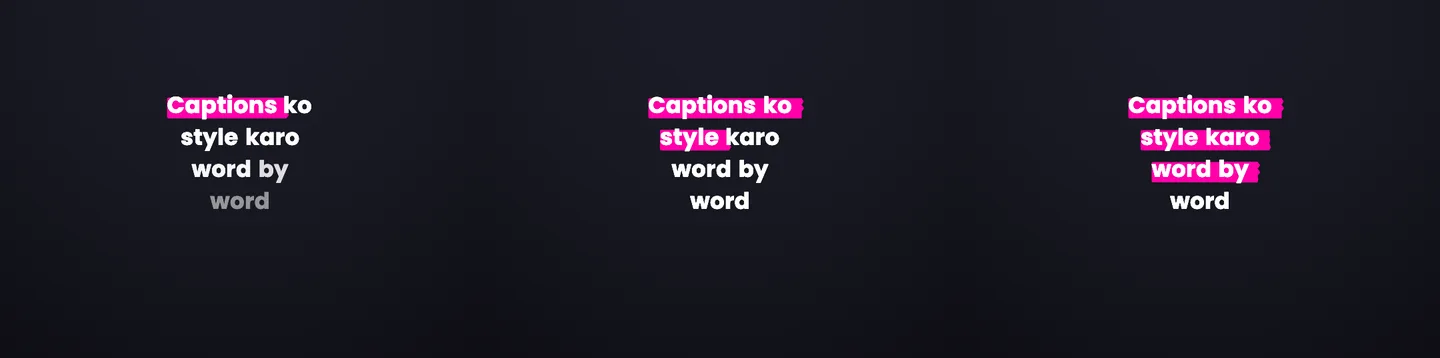
The workflow in Headroom
1. Tap the wrong word, retype it
Inline, like a notepad. The word keeps its timestamps; the neighbours keep theirs. Nothing downstream moves.
2. Scope bigger edits deliberately
Restyling or repositioning applies to this caption, from here, or the whole reel — your choice, stated explicitly, so a fix never silently rewrites the video.
3. Split where the rhythm needs it
Break a long caption into two at any word. Each word carries its timing with it, so the split point is just presentation.
4. Adjust timing only when you want to
When a boundary lands oddly, drag it. Manual timing control exists — it is just no longer mandatory maintenance after every text edit.
Common questions
Why do caption edits break timing in most tools?
Most tools store one timestamp per caption block. Edit the text and the tool re-flows words across blocks, so every later caption shifts. Word-level tools store a timestamp per word, so an edit changes letters, not time.
Can I change timing manually too?
Yes — adjust word or caption timing directly when a boundary is not where you want it, without re-running transcription.
Does this work for Hinglish?
Yes. Word-level timestamps come with all 18 supported languages, including Hindi-English code-mix in Roman script. Try the free Hinglish generator.
Keep going
Stop babysitting timestamps
Upload a clip, fix a word, and watch the rest of the video not care.