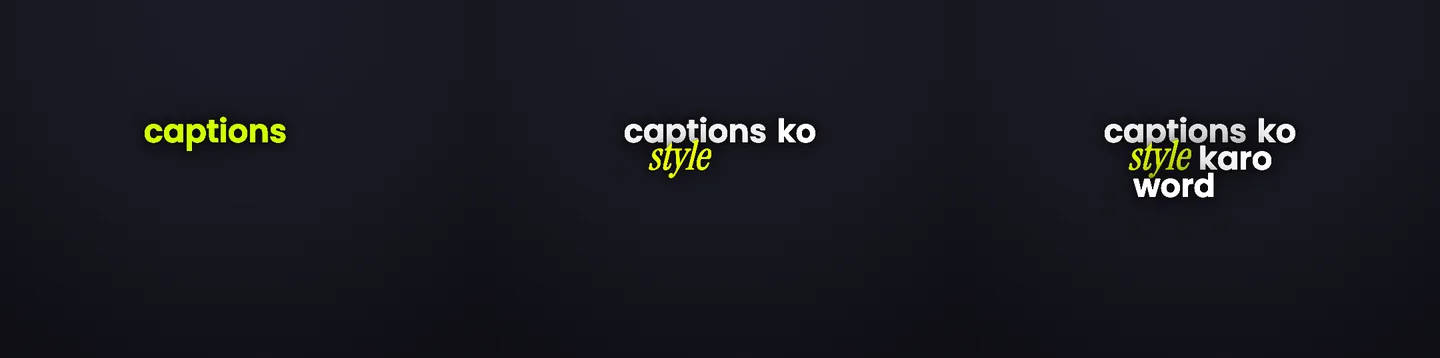
Dynamic captions

Dynamic captions that make talking videos easier to watch.

Headroom turns raw talking clips into ready-to-post short-form content faster with word-timed captions, readable styles, and a workflow built for publishing.

The retention layer for short-form content. No card needed to start.

Product preview9:16 preview

dynamic captions

timed to the moment

A caption layer that follows the speaker.

Dynamic captions are not just subtitles. They are the visible retention layer: words appear in rhythm with speech, important moments get emphasis, and the final video feels easier to follow on a phone screen.

  • Word-timed captions for short talking clips
  • Caption styles designed for Reels and Shorts
  • Inline text edits without rebuilding timing
  • 1080p MP4 export or SRT when you need a separate file

Problem

Static captions are readable, but they often feel flat.

Most short-form videos are watched quickly, often without sound, and usually among dozens of competing clips. Plain captions can carry the words, but they do not always help the viewer know what to notice. Manual caption styling also slows down the publishing loop, especially when creators need to post several videos a week.

Manual styling takes too long

Designing caption movement, sizing, emphasis, and placement by hand is slow for routine social clips.

Generic captions miss the hook

A plain transcript can be accurate but still fail to guide the eye toward the idea, turn, or payoff.

Posting gets delayed

The last mile of captions, styling, review, and export often takes longer than the actual recording.

How Headroom helps

How Headroom creates dynamic captions faster

Headroom is built around the last mile of short-form publishing. Upload a clip, generate captions from speech, preview styles, fix words if needed, and export when the video feels ready to post.

Word-timed caption generation

Captions follow the pace of speech so viewers can read without feeling behind the speaker.

Styles made for short-form

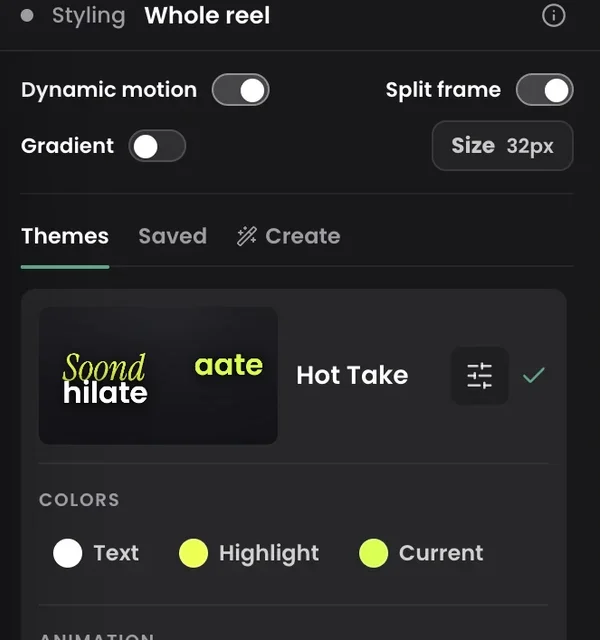
Choose from caption styles that add visual rhythm without forcing you to animate every word manually.

Quick editing before export

Edit words, adjust placement, switch styles, and export a finished MP4 or SRT from the same workflow.

Use cases

Built for real short-form workflows

Reels and Shorts

Make talking videos easier to follow in feeds where people often watch on mute or at low volume.

Creator education clips

Help viewers catch definitions, steps, and takeaways without crowding the screen with long text.

Founder and coach videos

Turn raw advice clips into polished short-form posts without sending every caption change to an editor.

Turn the next raw clip into a ready-to-post video.

Start with one video, test a caption style, and export when it feels ready.

Feature proof

Product features behind the page

Dynamic caption styles

Use styled captions as the visible mechanism for attention, not as a generic transcript overlay.

Edit words and move phrases

Fix transcription mistakes and adjust caption placement before publishing.

Ready-to-post exports

Download a 1080p captioned MP4, with no watermark on paid exports, or use SRT when your workflow needs it.

Related pages

Keep exploring Headroom workflows

FAQ

Questions people ask before trying Headroom

What are dynamic captions?

Dynamic captions are captions that appear with visual rhythm, timing, and emphasis instead of staying as one static block of text. In Headroom, they are generated from speech and styled for short-form videos.

Can I use dynamic captions for Instagram Reels?

Yes. Headroom is built for short-form formats like Instagram Reels and YouTube Shorts, where readable captions and fast publishing matter.

Are dynamic captions the same as animated captions?

They overlap. Dynamic captions focus on timing, emphasis, and readability; animated captions focus more on visible motion. Headroom supports caption styles that combine both ideas without manual keyframing.

Do dynamic captions guarantee more views?

No tool can guarantee views. Dynamic captions can make videos easier to watch and understand, which supports retention and publishing consistency.

Final CTA

Your next short-form video can be ready faster.

Upload a clip, choose a caption style, make quick edits, and publish with less manual caption work.