Captions.ai alternative
A Captions.ai alternative built for talking-head videos
Both tools use AI on talking videos, so the real question is control. Headroom applies an automatic AI Edits pass you can inspect word by word, adjust with an intensity dial, or override entirely, and it is built for Hinglish and Indian-language speech as much as English.
Built for creators, editors, and content teams. No card needed to start.
Captions.ai alternative
timed to the moment
A talking video that arrives already edited.
Upload a talking clip and Headroom reads the script, applies AI Edits where the delivery needs them, and gives you word-level control over captions, emphasis, and styles before export.
- AI Edits: automatic editing moments from what you actually said
- 30+ caption styles with fast preview on your video
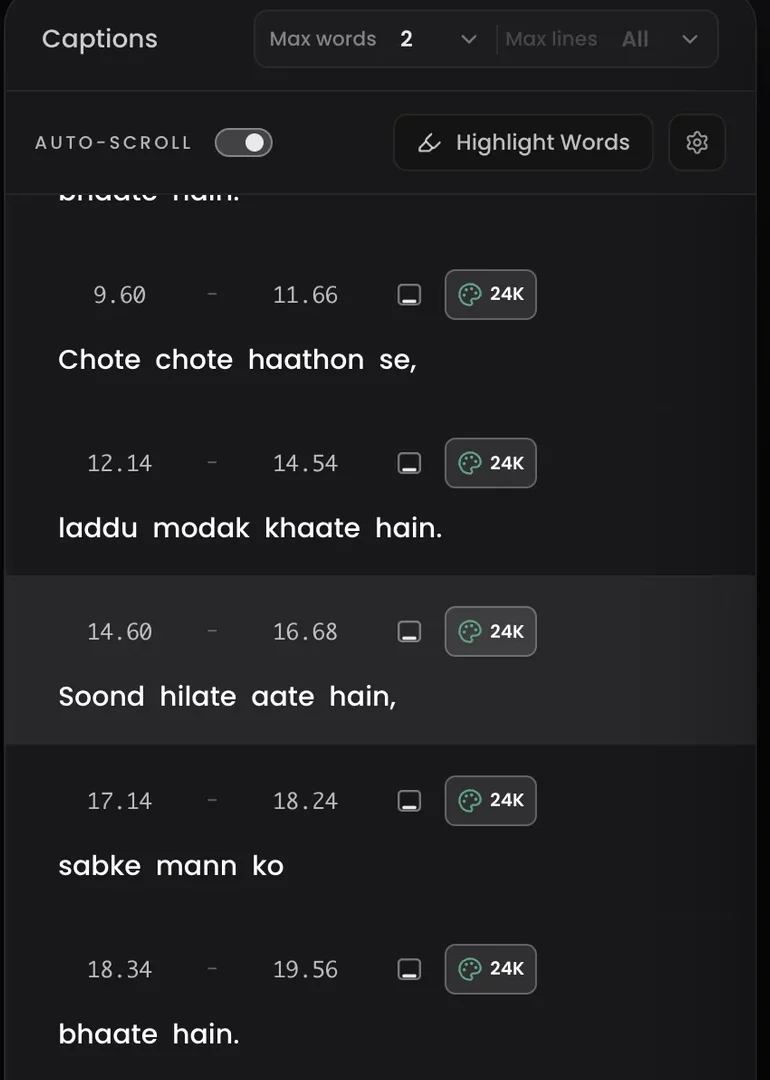
- Edit words, drag phrases, and fix timing before export
- 1080p MP4 exports
- SRT and word-level SRT for editor handoffs
- Hinglish, English, Spanish, French, German, Portuguese, Italian, and Dutch
The honest take
When Captions.ai is the better fit
Captions.ai is a popular AI video app with a large feature set. For some creators it is the better choice; here is where, honestly.
Mobile-first record-to-publish flow
Captions.ai fits creators who record, caption, and publish inside one mobile app loop. Headroom has iOS and Android apps, but its editing depth is built around the full editor.
AI avatars, dubbing, and eye contact tools
Captions.ai ships avatar generation, dubbing, and corrective AI features Headroom does not have and does not plan around.
One-app simplicity
If you want one general app for every video type, a broad suite can be enough. Headroom deliberately specialises in talking-head clips.
Why Headroom
Why Headroom for talking-head videos
Headroom is built for creators, editors, and teams whose videos are talking clips. AI Edits reads the transcript and places emphasis, motion, and style moments where the script calls for them. You keep word-level control: fix a word without breaking timing, change what the AI chose, export 1080p MP4 or SRT for Premiere, CapCut, or Resolve. Hinglish and 18 languages are first-class, with Roman-script output.
AI Edits: the first pass is automatic
Headroom reads the transcript and places editing moments on hooks, numbers, contrasts, and calls to action. Pick Clean, Balanced, or High Energy, then change anything by hand.
Dynamic captions that hold attention
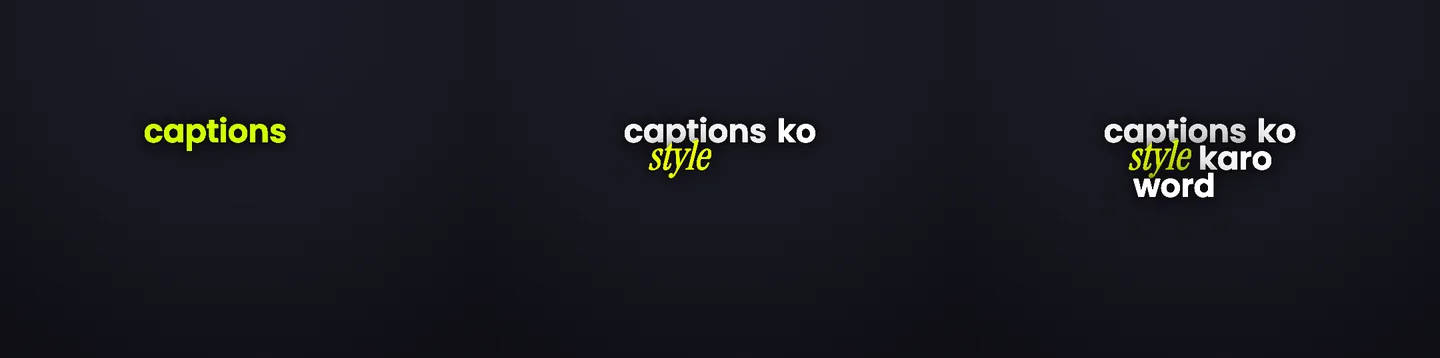
Word-timed captions with emphasis and motion help viewers follow the speaker on mute, on mobile, and in fast-scroll feeds.
Finish caption-heavy work without the drag
Publish more without spending hours on final polish. Headroom removes the slow caption styling pass from your short-form workflow.
Real product output
What this actually looks like
Use cases
Built for creators, editors, and content teams
Creators
Turn raw talking clips into Reels, Shorts, and TikTok posts with captions that make hooks and payoffs easier to catch.
Editors
Finish client caption passes faster, export SRT when the timeline needs it, and take on more short-form volume from the same week.
Content teams
Keep the content calendar moving with a focused workflow for captioned talking videos, without rebuilding every style by hand.
Choose Headroom if your videos are mostly talking clips.
Turn raw talking clips into engaging short-form videos faster with dynamic captions, fast styling, and clean exports.
What you get
Everything Headroom does well
AI Edits with an intensity dial
Automatic editing moments derived from your script, at Clean, Balanced, or High Energy intensity. Toggle the whole pass off for a clean comparison.
30+ caption styles
Preview styles on your video and switch quickly until the clip feels engaging enough to publish.
Edit control before export
Fix words, drag phrases, adjust placement, and review the final look before you download. Your manual edits always win over AI decisions.
Clean exports and SRT handoffs
Export 1080p captioned MP4s or SRT files, including word-level SRT on the Agency plan.
Related pages
Keep exploring Headroom workflows
FAQ
Common questions before switching
Is Headroom a Captions.ai replacement?
Headroom is the better fit when your videos are talking-head clips and the job is making them hold attention. Captions.ai is stronger when you need a broader toolkit beyond that job.
Does Headroom edit the video automatically?
Yes. AI Edits reads what you said and applies editing moments where the script calls for them: emphasis on the words that carry a phrase, motion, and occasional style changes on hooks and key beats. You pick the intensity (Clean, Balanced, or High Energy), and every decision stays editable or can be switched off.
What makes Headroom different for short-form video?
Headroom is built for talking-head videos specifically: it understands the speech, edits for engagement automatically with AI Edits, and gives you word-level control over captions, emphasis, styles, and timing before export.
Which languages does Headroom support?
Headroom supports Hindi, Tamil, Bengali, Marathi, Gujarati, Telugu, Kannada, Malayalam, Punjabi, Urdu, Spanish, French, German, Portuguese, Italian, Dutch, Russian and more, with natural English mixing and Roman-script output.
Does Headroom support Indian regional languages?
Yes. Headroom supports Hindi, Tamil, Bengali, Marathi, Gujarati, Telugu, Kannada, Malayalam, Punjabi, Urdu and more. Captions are generated in Roman script so they work cleanly with modern caption styles, fonts, animations, and exports.
Does Headroom translate videos?
No. Headroom preserves the spoken language and natural English mixing. For example, Tamil speech stays Tamil, but captions are written in Roman (Latin) letters.
Can I export SRT for Premiere Pro or CapCut?
Yes. Export SRT from Headroom and continue in Premiere Pro, CapCut, DaVinci Resolve, or your usual editor when the project needs a timeline handoff.
Final CTA
Start with Headroom and finish your next talking video faster.
Upload a clip, add dynamic captions, pick a style, make quick edits, and export a video that feels ready to post.