Why are my Reels boring?
Usually it is not the topic, the camera, or the algorithm. A talking-head Reel feels boring when nothing changes: same frame, same flat text, same energy for fifteen seconds. Below are the five patterns that cause it — and how to spot each one in your own video in under a minute.
If you are stuck at a few hundred views per Reel, run this checklist before recording anything new. The fix is usually in the edit, not the idea.
The five patterns
1. The first two seconds are setup, not payoff
Spot it: Rewatch your Reel. Count the seconds before the most interesting sentence starts. If the answer is more than one, the swipe happens before your point does.
Fix it: Reorder, do not rewrite: open at the claim, explain after. Cut every greeting.
2. Nothing changes for five seconds at a time
Spot it: Scrub the timeline. Find any 5-second window where the frame, the text, and the emphasis all stay identical. Each one is a swipe point.
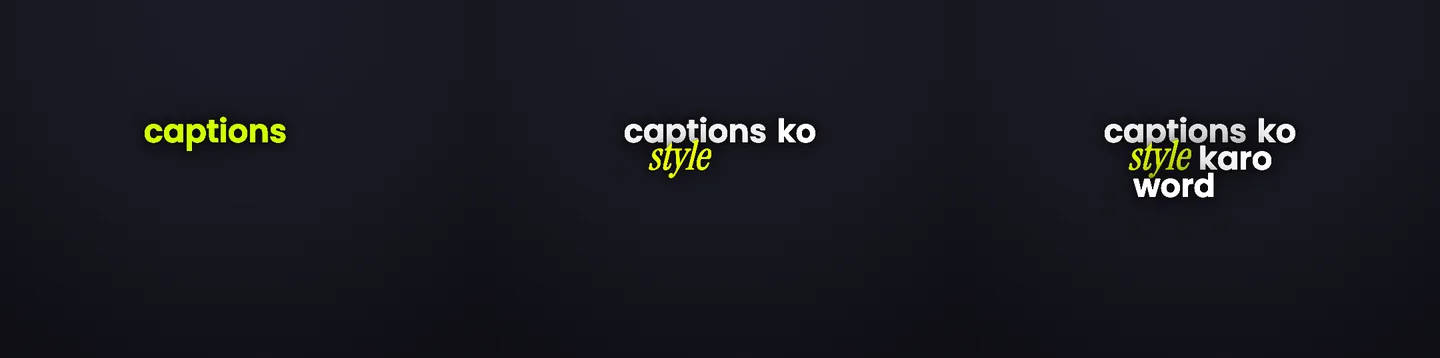
Fix it: Create change where you already have material: a punch-in, a caption style switch at the turn of the argument, emphasis moving with the voice. B-roll helps, but it is not the only lever.
In Headroom: Word-timed captions create motion for free — the text changes with every word you speak.
3. It does not work on mute
Spot it: Watch it silent. If you lose the thread, so does the feed — autoplay is muted by default.
Fix it: Caption every word, timed to speech, styled to be readable at phone size.
In Headroom: This is the core Headroom workflow: upload, get word-timed captions, fix any word, style, export.
4. The captions shout everything, so nothing lands
Spot it: Look at one phrase. Is every word the same size, weight, and color — or worse, is EVERY word highlighted? Then your captions have no hierarchy, and the viewer reads none of it.
Fix it: One emphasized word per phrase. The one carrying the meaning. Quiet everything else.
In Headroom: Headroom marks a highlight word per phrase automatically and you can change which one.
5. The captions fight your face
Spot it: Play it on your phone, not your monitor. Are the captions on your chin? Under the like button? Behind the caption text Instagram draws?
Fix it: Lower-middle band: below the chin, above the platform UI. Move individual captions when you lean into frame.
In Headroom: Captions are draggable per caption, with the move scoped to this caption, from here, or the whole reel.
These are editing principles, not magic numbers — nobody can honestly promise you a retention percentage. What they change is the number of moments a viewer has a reason to leave.
Fix the specific pattern
Patterns 2 to 5 are one upload away
Word-timed captions, one highlight word per phrase, styles, and placement — the boring-reel fixes Headroom automates.