How to highlight words in video captions
The rule that makes highlighted captions work: one emphasized word per phrase — the word carrying the meaning. Highlight everything and you have highlighted nothing. Here is the difference, rendered:


Same phrase, same style, same engine — only the emphasis flags differ.
Which word do you highlight?
Say the sentence out loud and notice which word you naturally stress — that is the one. It is usually the noun or verb that would change the meaning if swapped: in “captions ko style karo”, the instruction lives in style. Numbers, names, and contrast words (“free”, “never”, “actually”) are almost always the stress carriers.
Do
One word per phrase. Bigger, brighter, or a different color — pick one treatment and keep it consistent through the video.
Sometimes
Two emphasized words when the sentence genuinely contrasts two things (“not views, retention”).
Never
Every word, alternating colors per word, or emphasis on filler (“very”, “really”). That is decoration, not hierarchy.
Doing it without manual keyframes
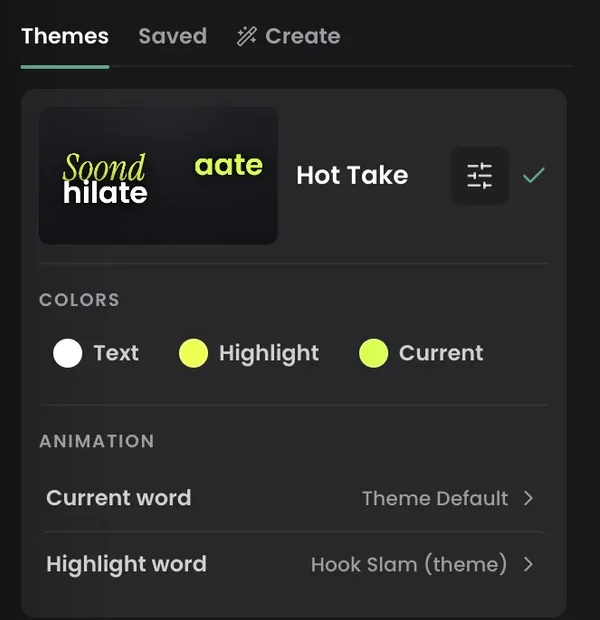
In most editors, per-word emphasis means keyframing text layers by hand. In Headroom every word already carries its own timing, so emphasis is a property, not an animation task: the engine marks a highlight word per phrase, you change which one with a tap, and the Highlight and Current colors in the style panel control how it renders.
Emphasis also survives edits — retype a word and its highlight and timing stay put, because the timing belongs to the word. How that works.
Are highlighted captions distracting?
They are when emphasis is random or everywhere — that is the noisy example above. Emphasis that follows the natural stress of speech reads as rhythm, not distraction. If a rewatch of your own video makes the captions feel busy, reduce: fewer highlights, calmer treatment, or a stable phrase presentation — see word-by-word vs sentence captions.
Keep going
One tap per phrase, not one keyframe per word
Upload a clip — the highlight words are already marked, and changing them takes a tap.